
Gallery
See the Platform in Action
Screenshots, architecture diagrams, and published figures from the MAPLES AI grading platform and the OSCE simulation environments it serves.
MAPLES Platform
The AI grading interface used by faculty and simulation staff.
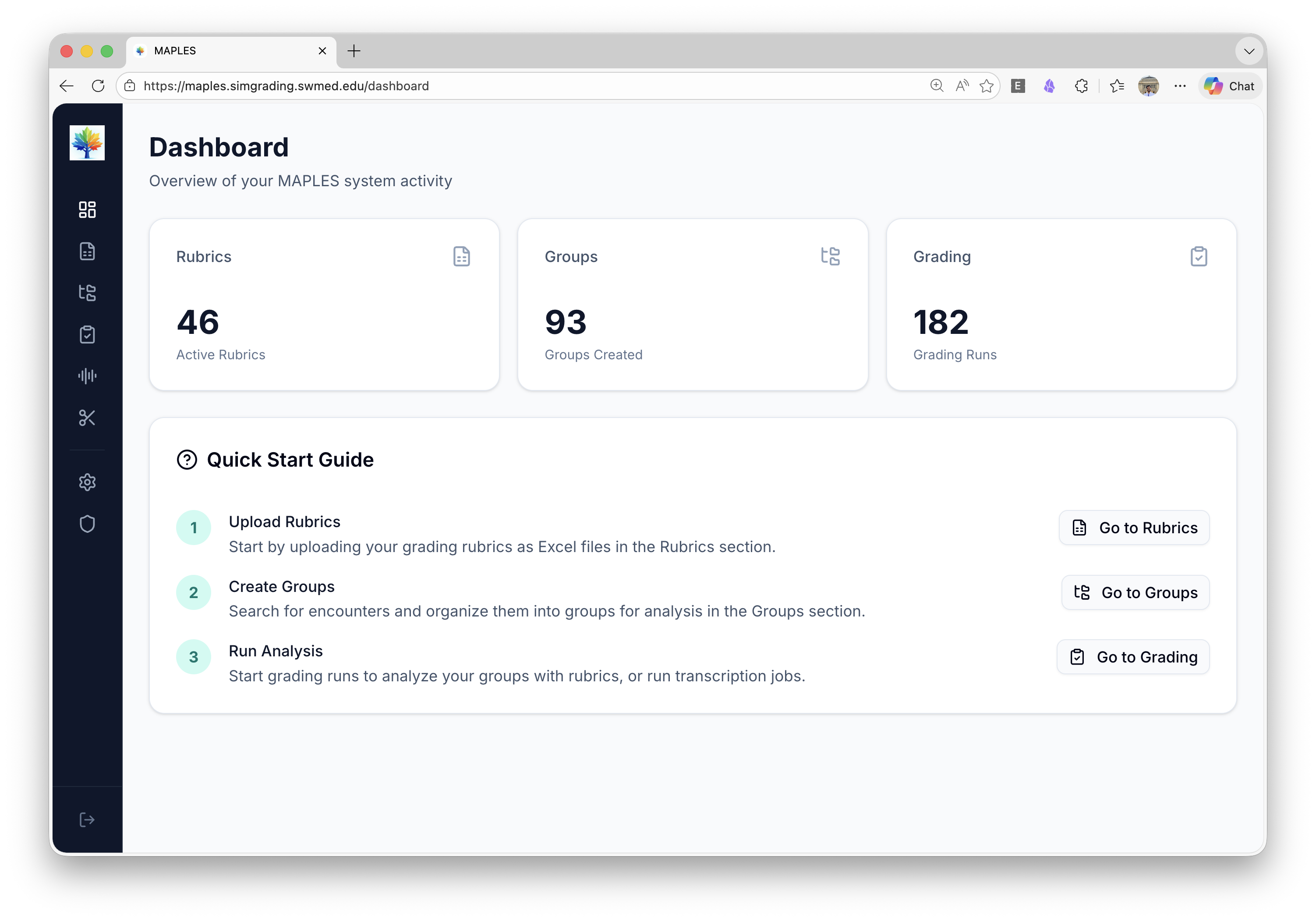
At the time of this screenshot, the MAPLES dashboard showed 46 active rubrics, 93 student groups, and 182 grading runs in the UTSW production system.
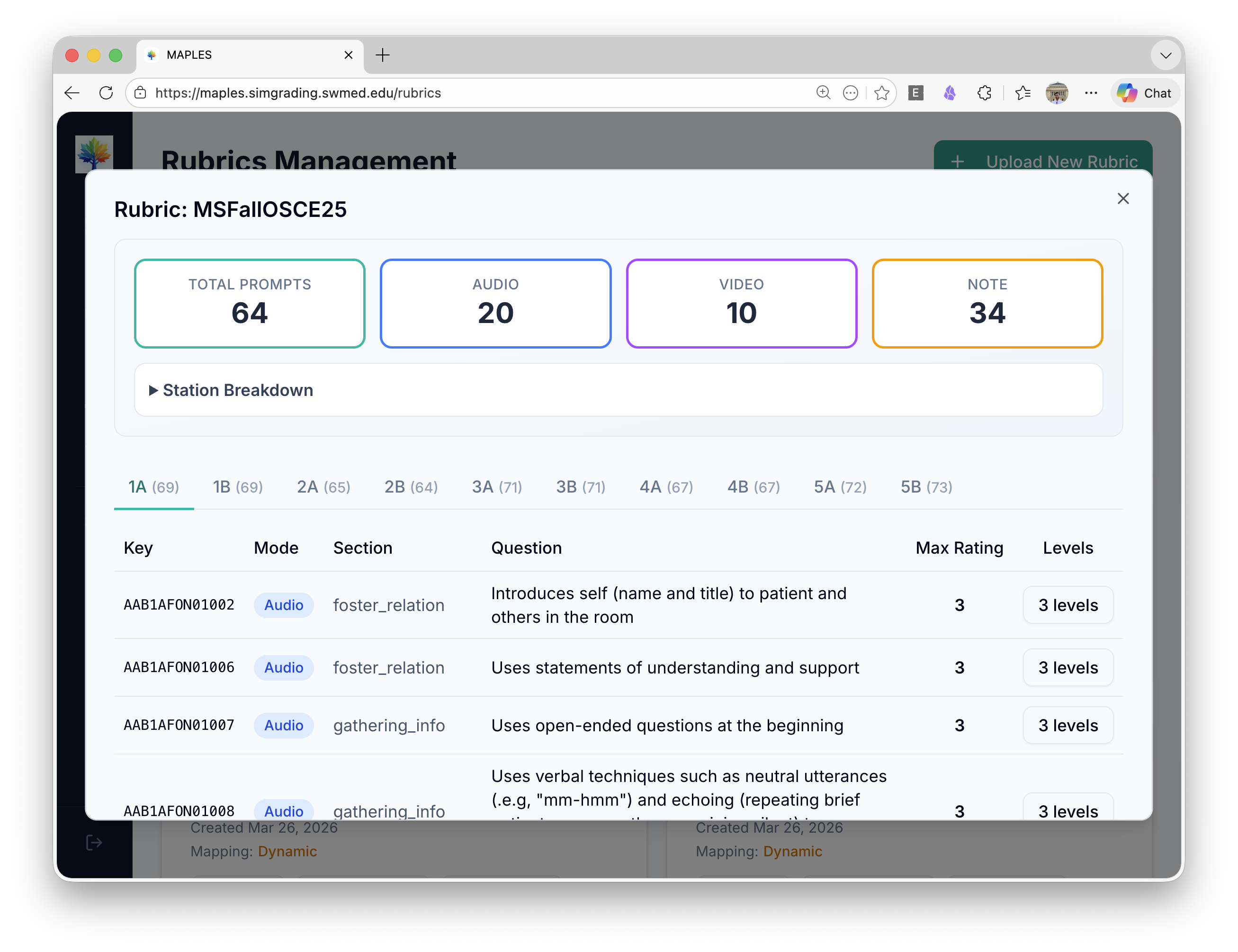
Rubric management view: a rubric with 64 prompts across audio, video, and note modalities, organized by OSCE station. Each item is mapped to a grading mode and scoring level.
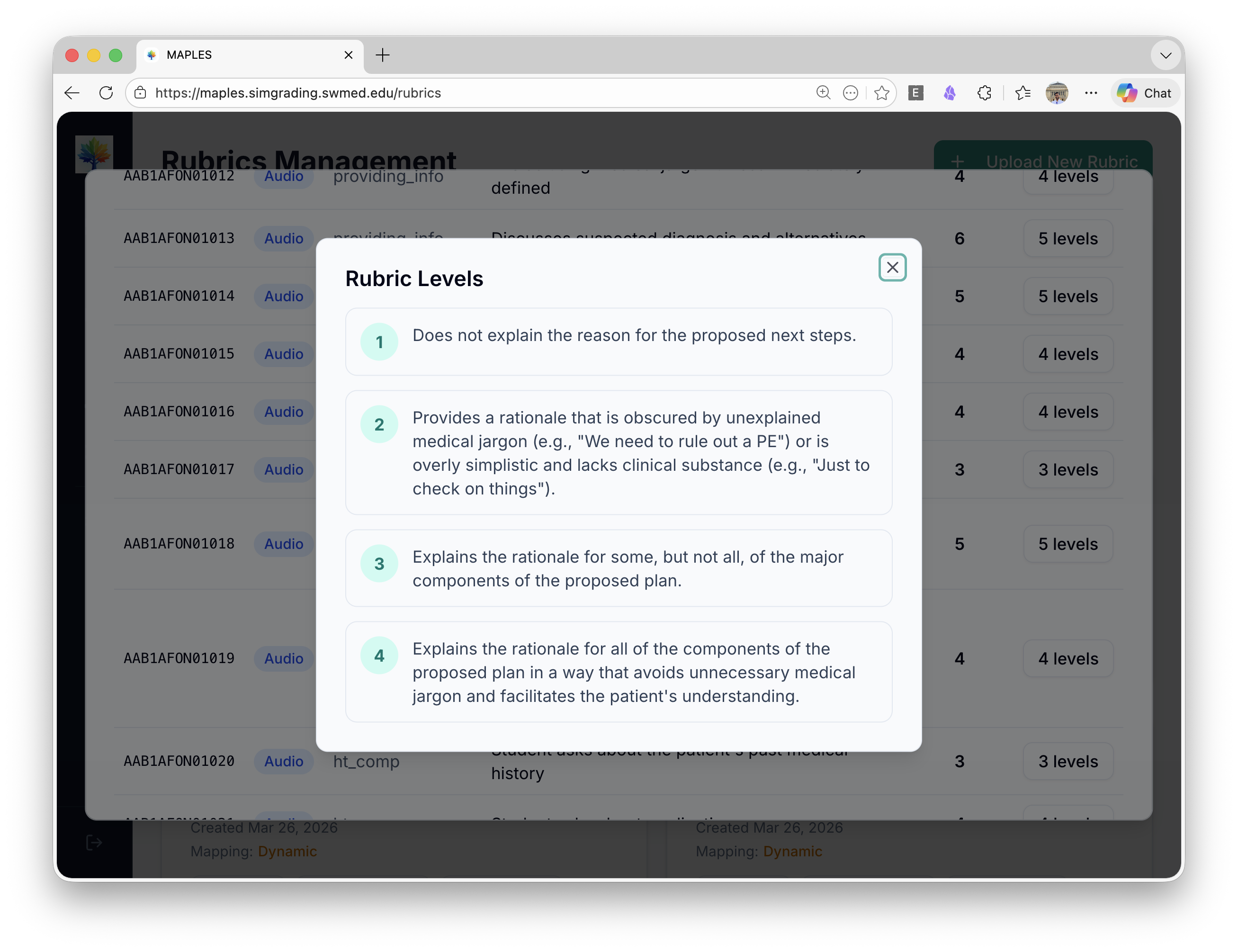
Rubric level definitions: each item has scoring criteria (1-4) that both human raters and AI use, designed to support consistent interpretation across graders.
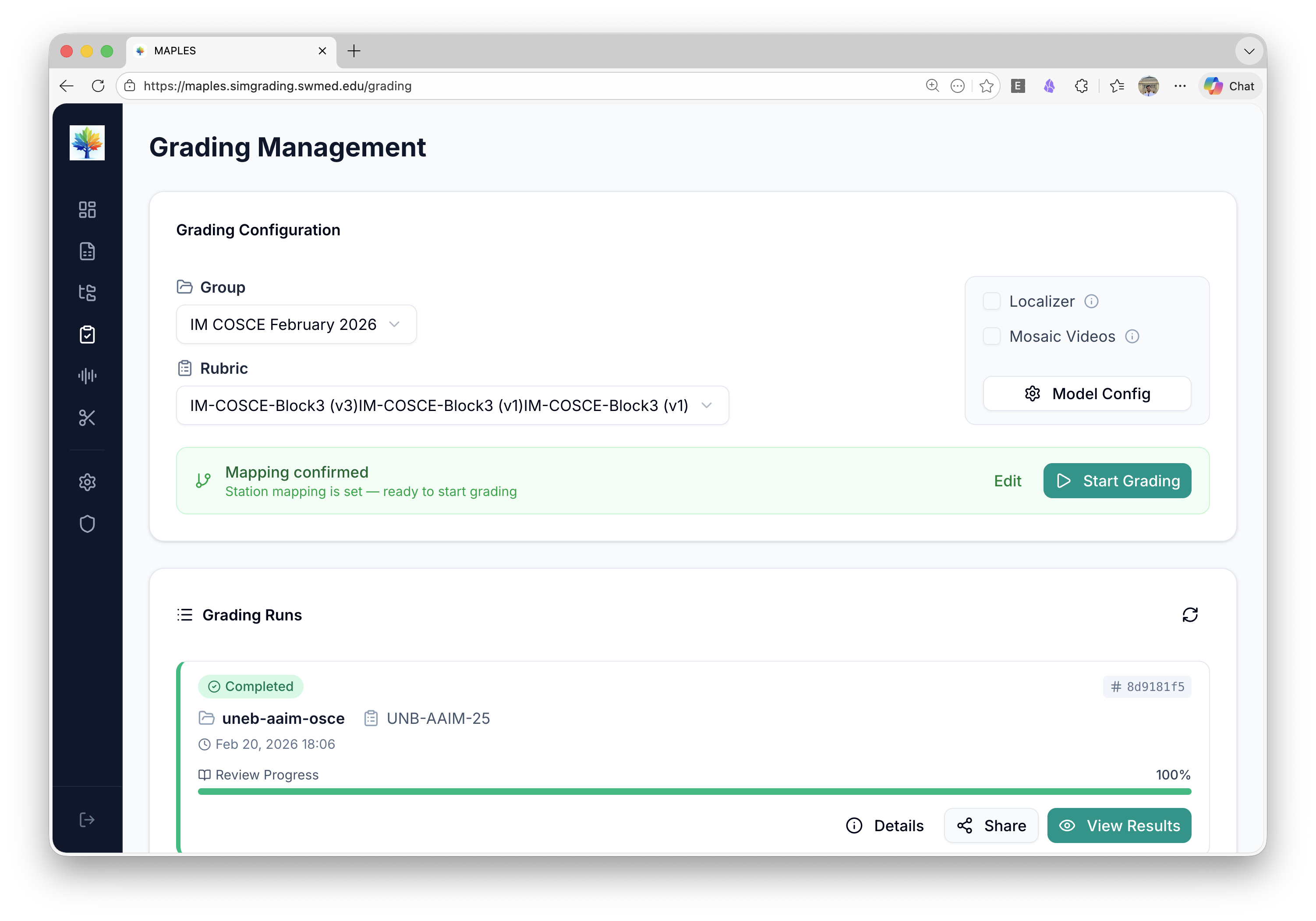
Grading configuration: select a student group, map rubrics to stations, enable optional features (localizer, mosaic videos), and launch AI grading with one click.
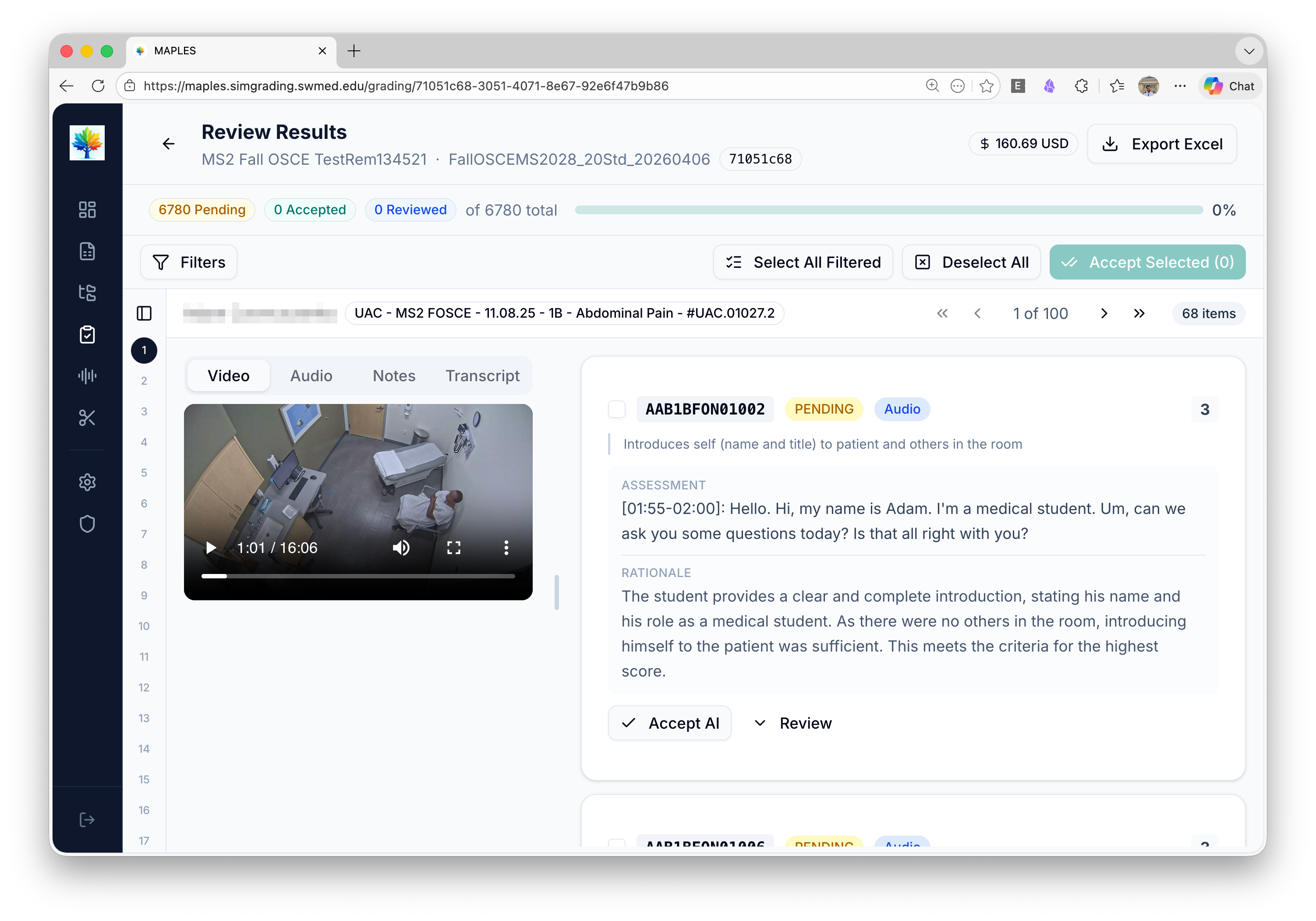
Multimodal review: synchronized video playback with AI-generated transcript and item-level assessment. Faculty can accept the AI score or flag for manual review.
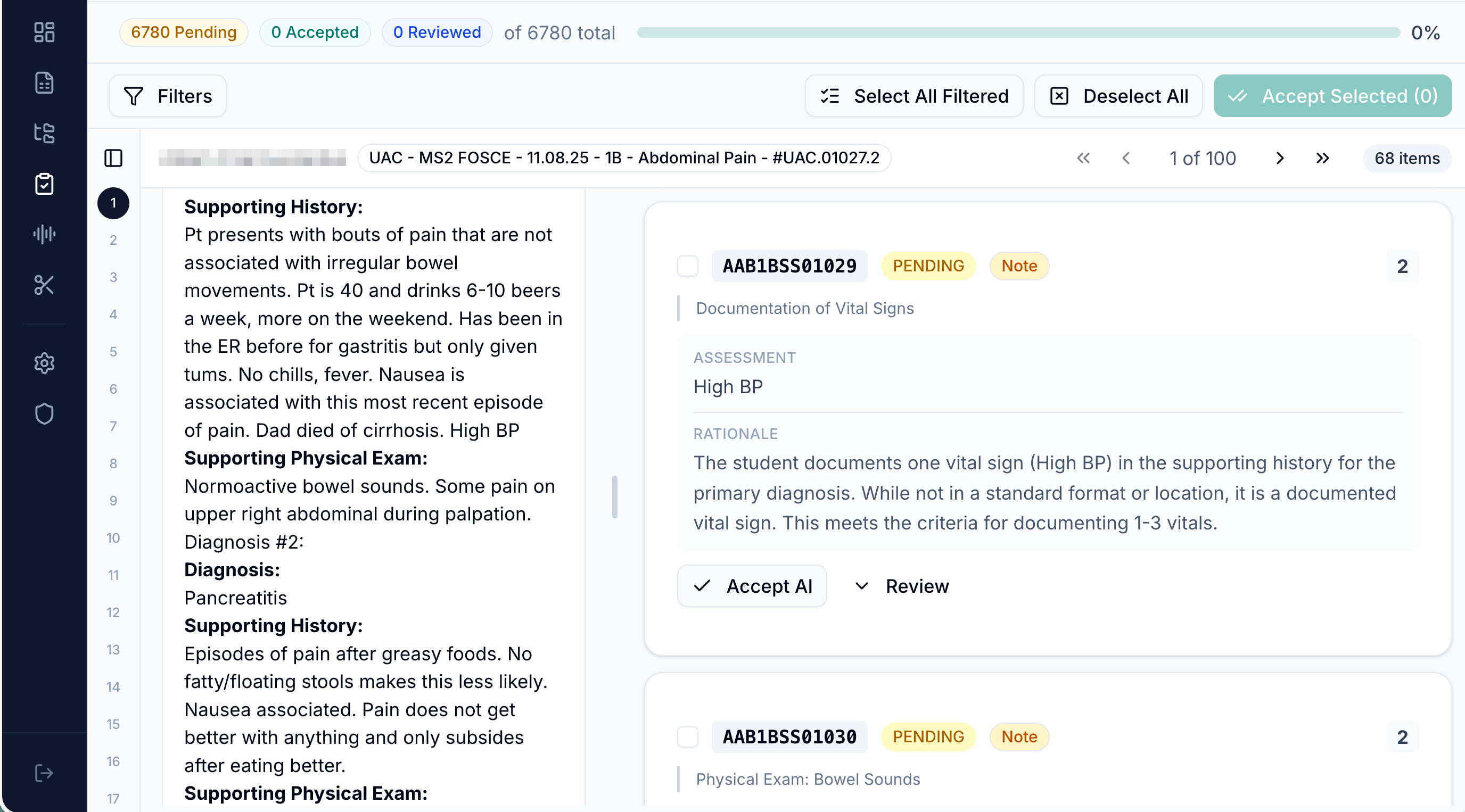
Post-encounter note grading: the student's clinical note alongside the AI assessment, rationale, and rubric scoring guide. Faculty review each item with full context.
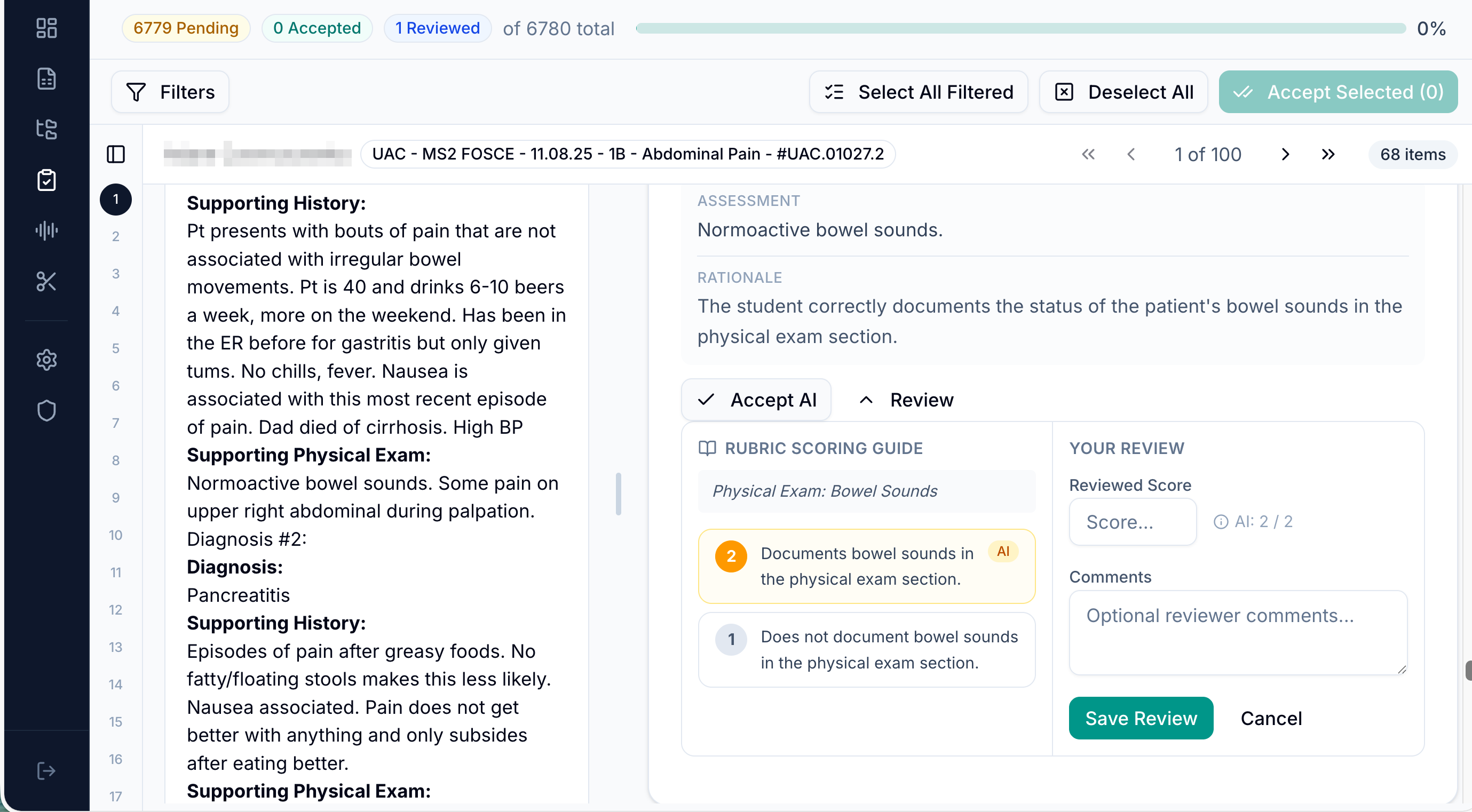
Batch review interface: 6,780 items across an entire OSCE cohort. Faculty can filter, accept AI scores, or drill into individual items for manual review.
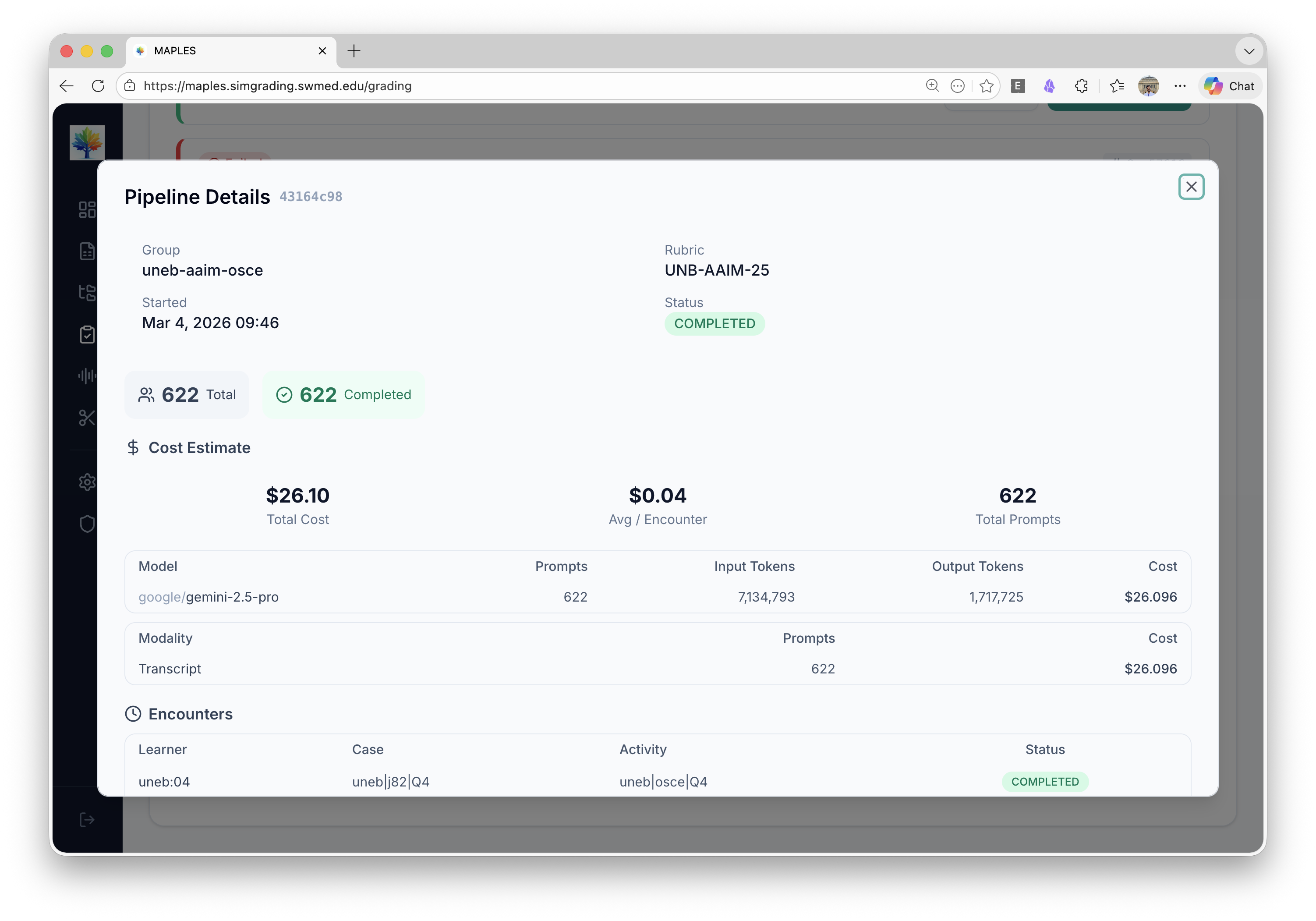
A captured MAPLES run shows 622 encounters graded for $26.10 total ($0.04 per encounter) using Gemini 2.5 Pro, with a token-level cost breakdown for institutional budgeting.
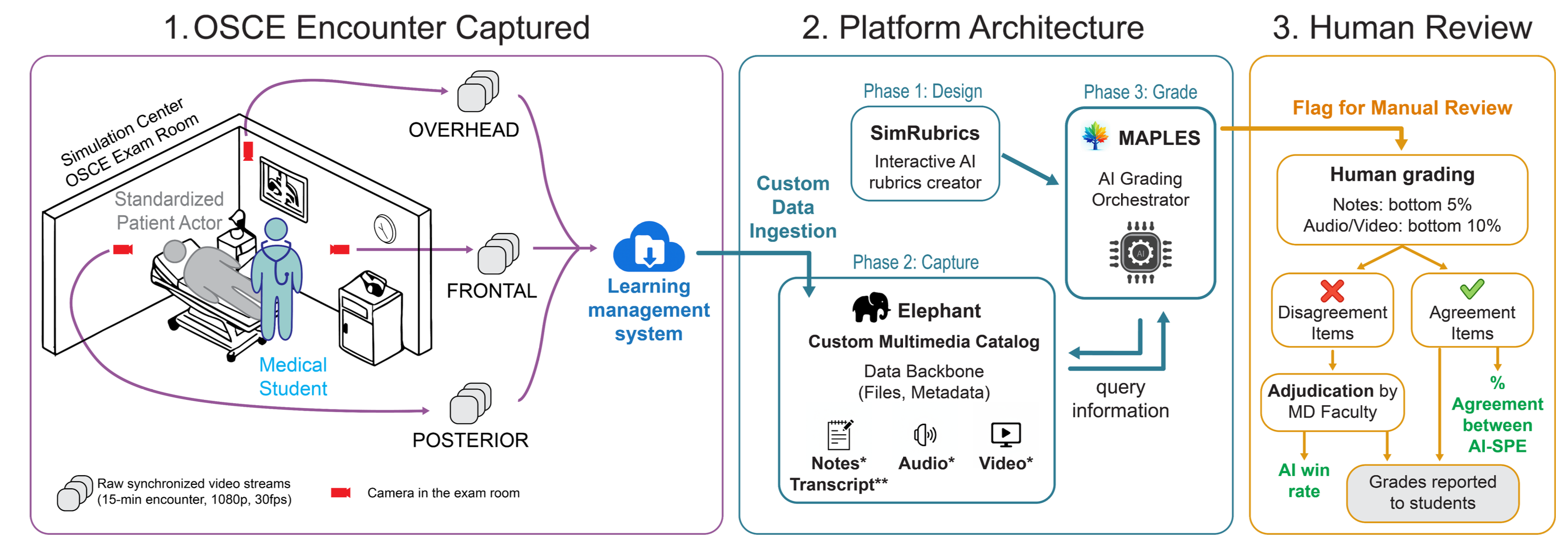
How MAPLES fits in the full workflow: (1) OSCE encounter captured via multi-angle cameras, (2) Platform — SimRubrics for rubric design, Elephant for multimedia cataloging, MAPLES for AI grading orchestration, (3) Human review with faculty adjudication and grades reported to students.
OSCE Setup & Simulation Environment
The clinical simulation environments where encounters are captured.
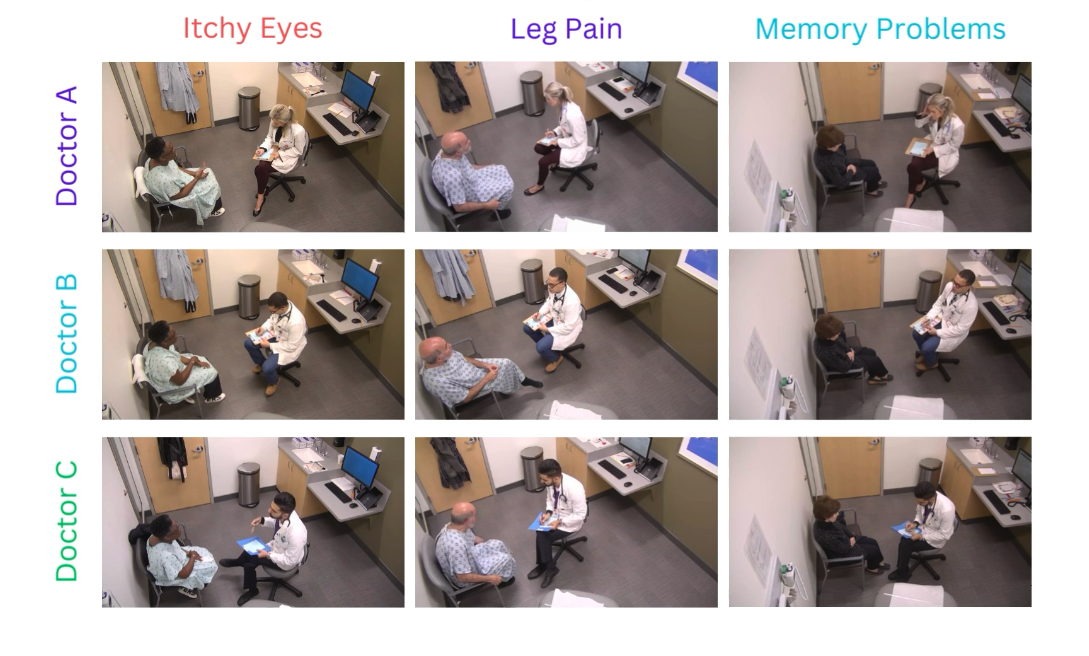
A UTSW OSCE workflow: medical students rotate through standardized-patient scenarios (e.g., Itchy Eyes, Leg Pain, Memory Problems), with encounters recorded from overhead cameras. MAPLES supports the resulting grading workflow.
Platform Architecture & Published Figures
From the NEJM AI publication and technical report — the rubrics-to-prompts pipeline.
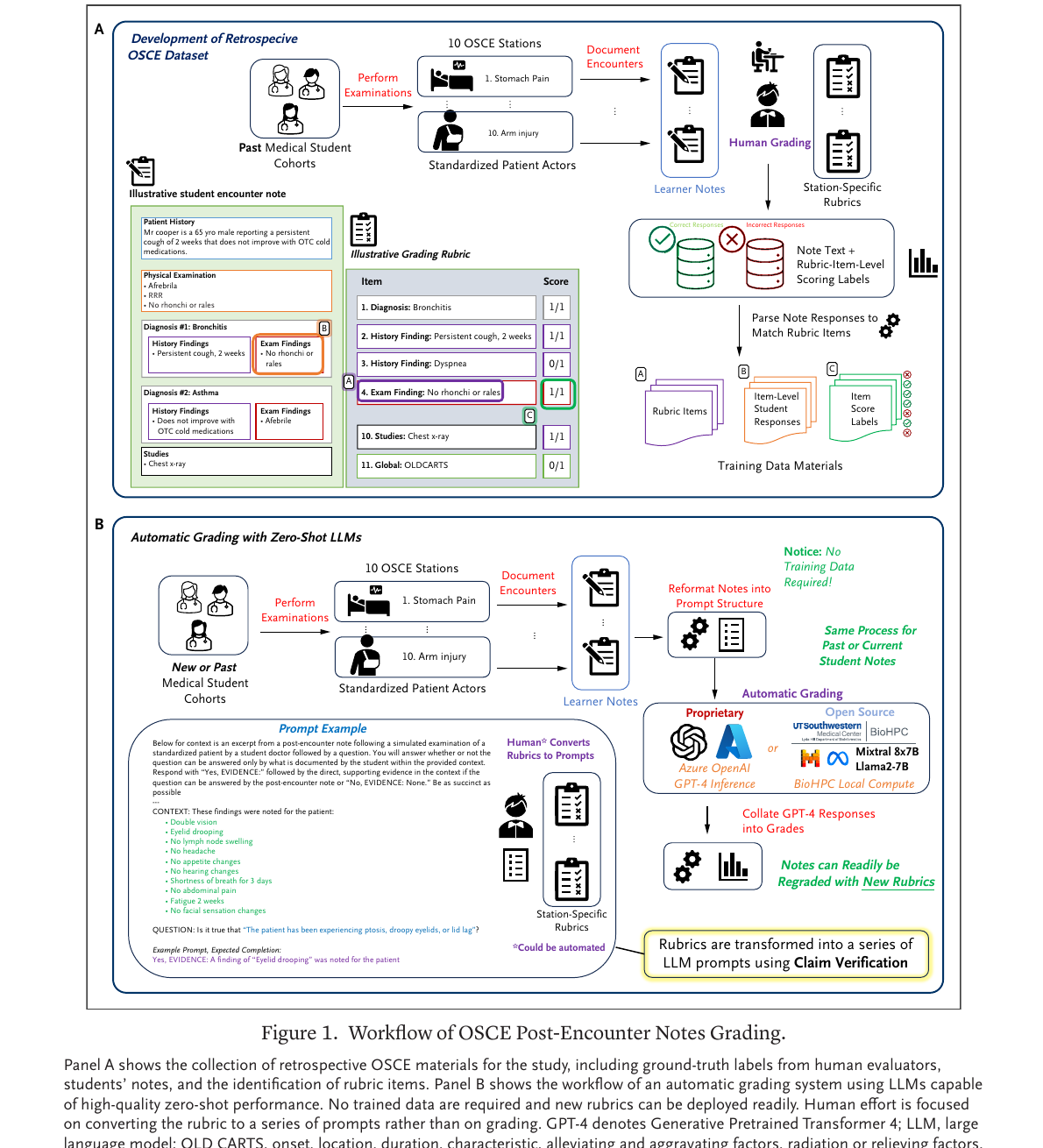
The rubrics-to-prompts workflow published in NEJM AI — translating clinical rubrics into AI grading specifications.
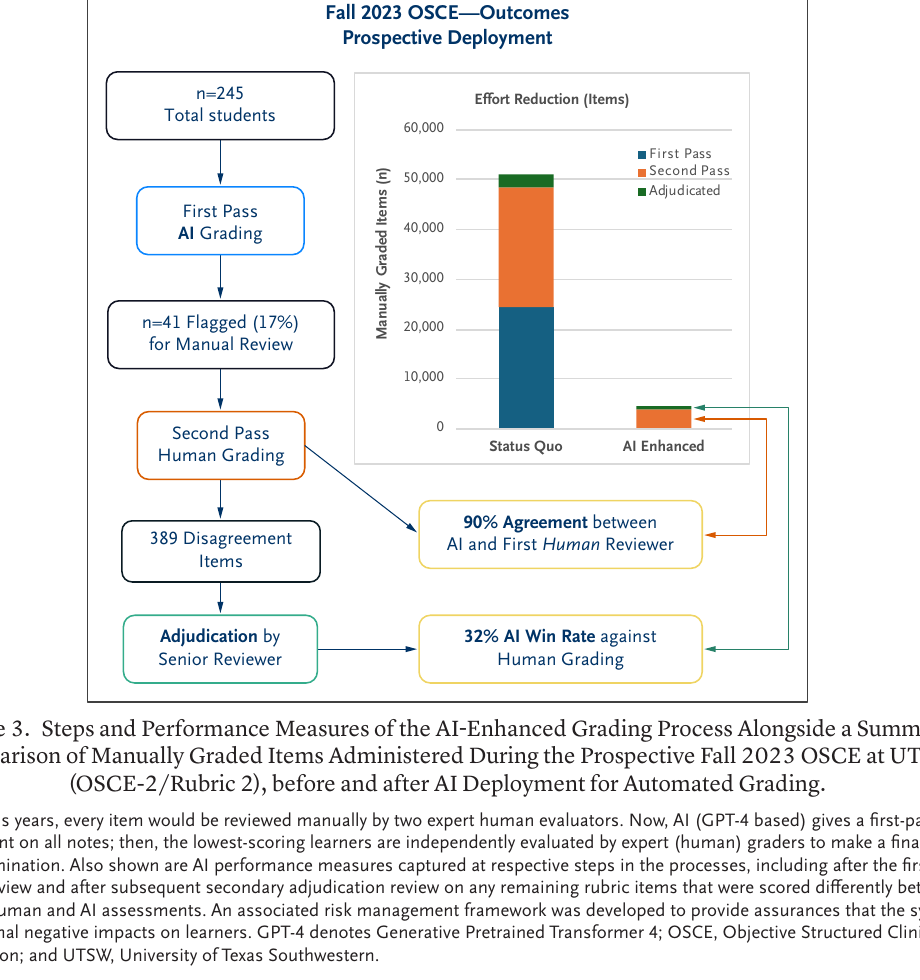
Production deployment model at UTSW showing the human-in-the-loop review pipeline.
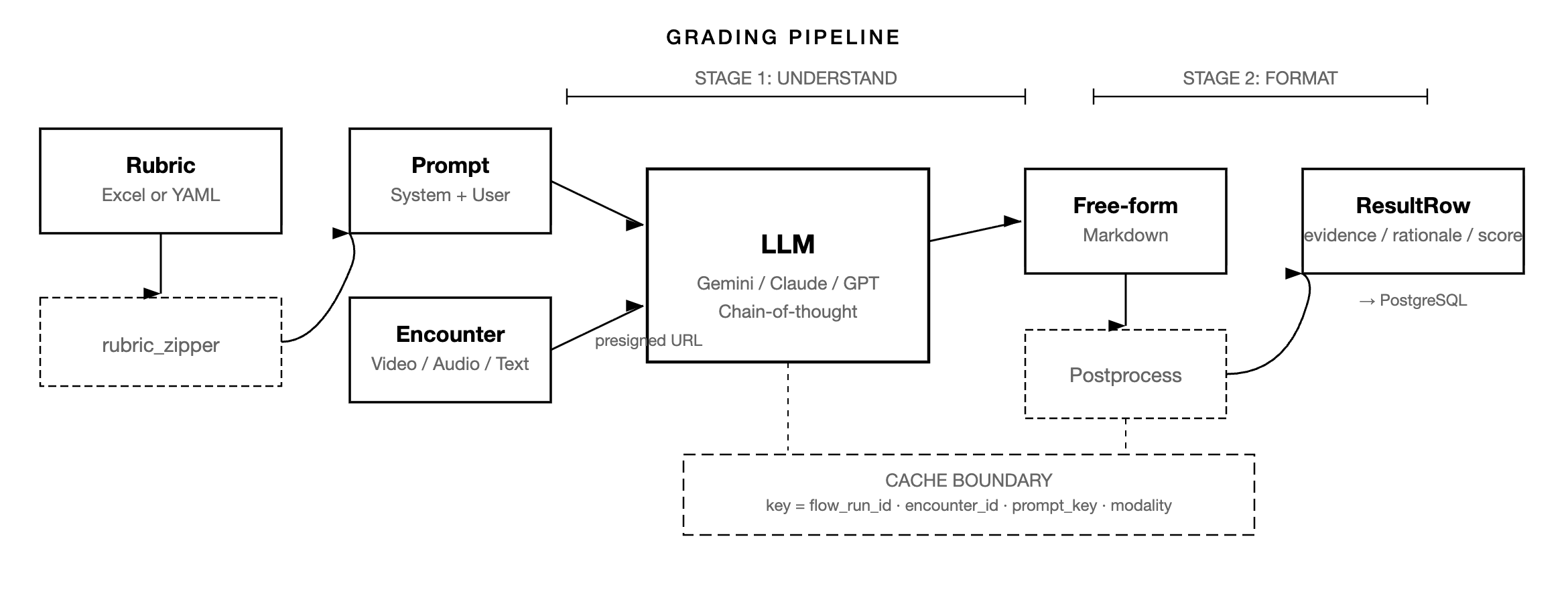
End-to-end grading pipeline: data ingestion, AI assessment, quality review, and feedback delivery.
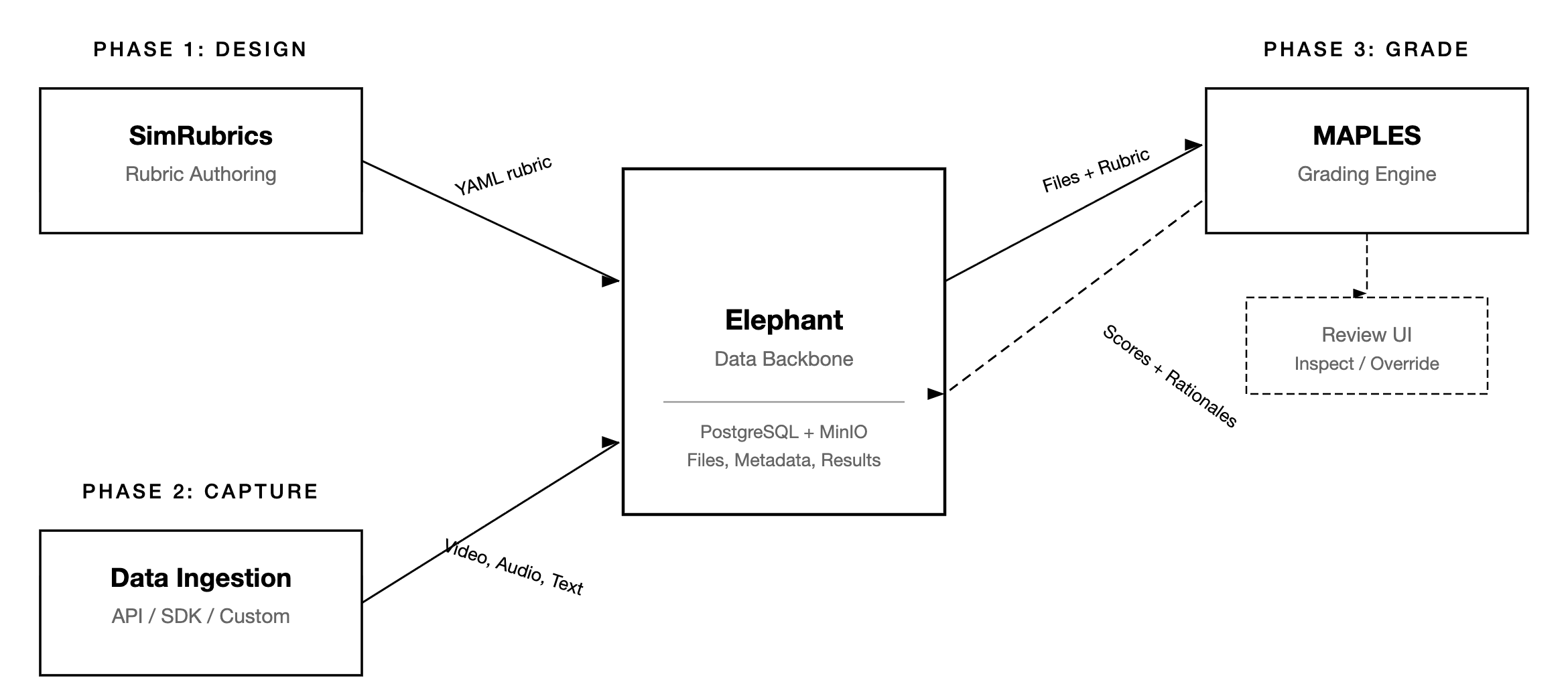
MAPLES platform architecture showing the relationship between SimRubrics, Elephant, and the grading engine.
Multimodal AI Assessment
Multi-camera video analysis using Gemini — from the multimodal physical exam preprint (Kang et al., 2026).
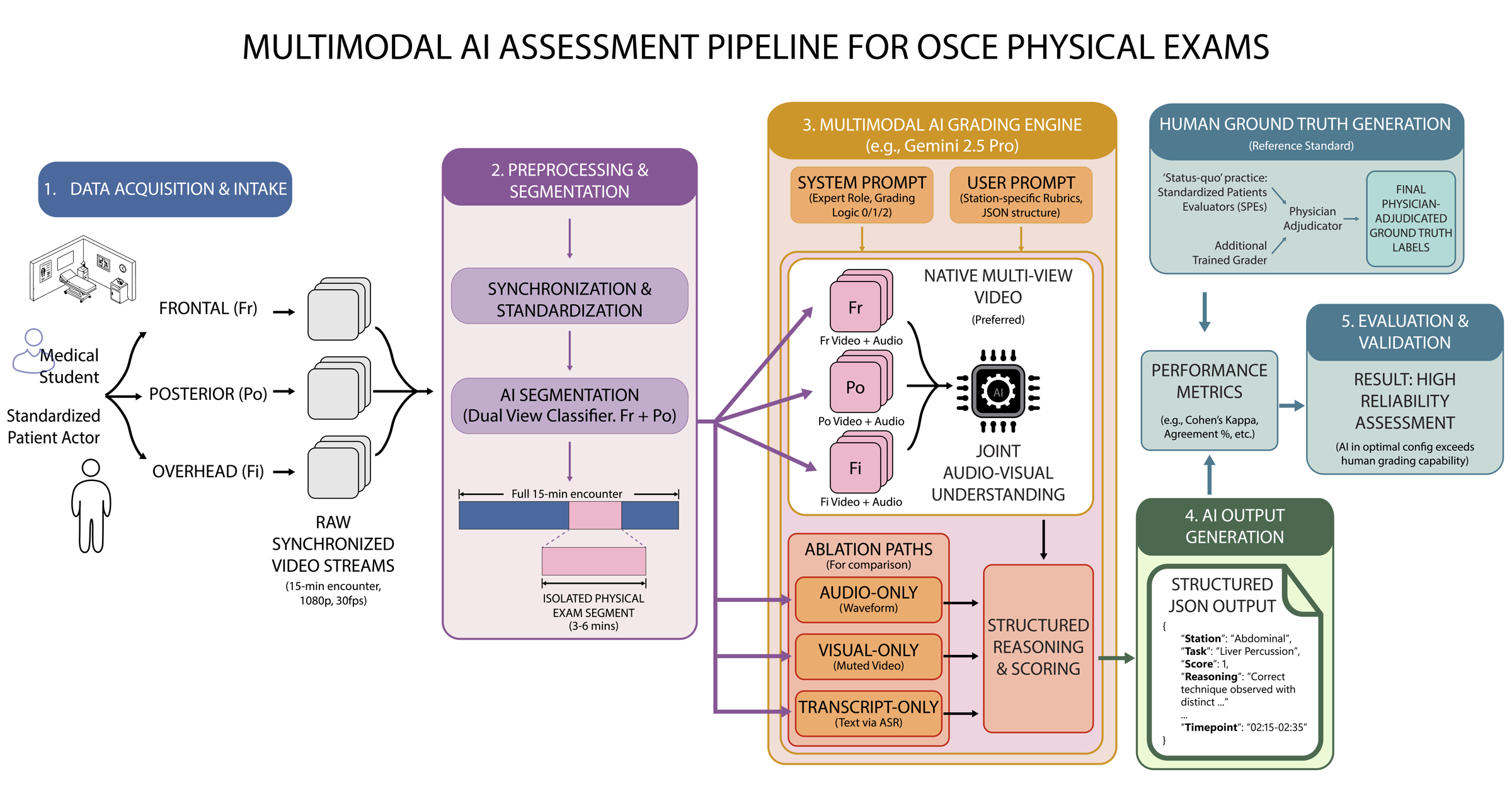
Multi-camera OSCE room setup with AI segmentation and grading pipeline — frontal, posterior, and overhead cameras feed into Gemini for physical examination assessment.
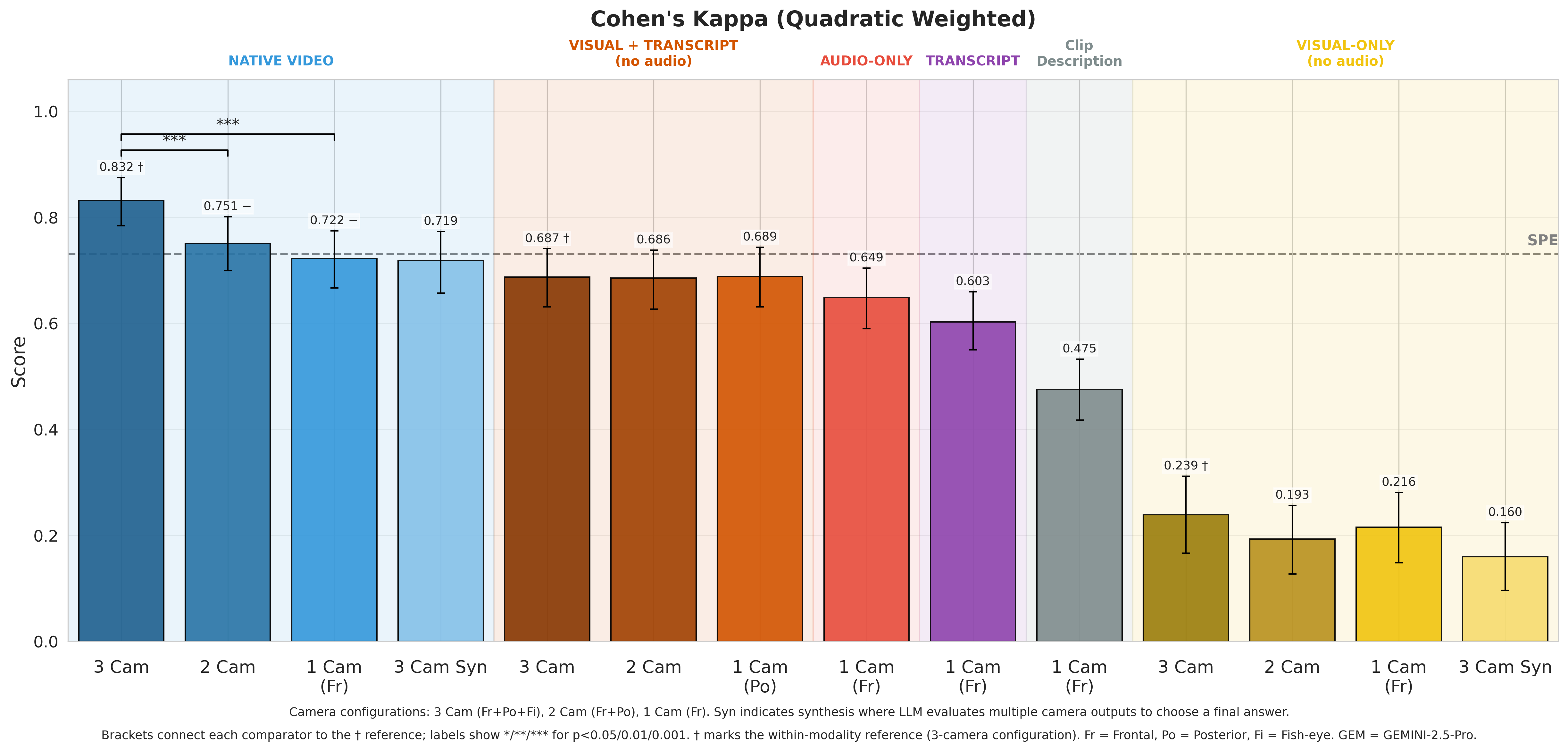
Modality-ablation results from the 300-encounter retrospective preprint. The figure reports quadratic weighted kappa = 0.832 for its top synchronized 3-camera native-video configuration; the preprint abstract reports the primary 3-camera estimate as 0.830, compared with 0.732 for standard human evaluators against the same physician-adjudicated reference.
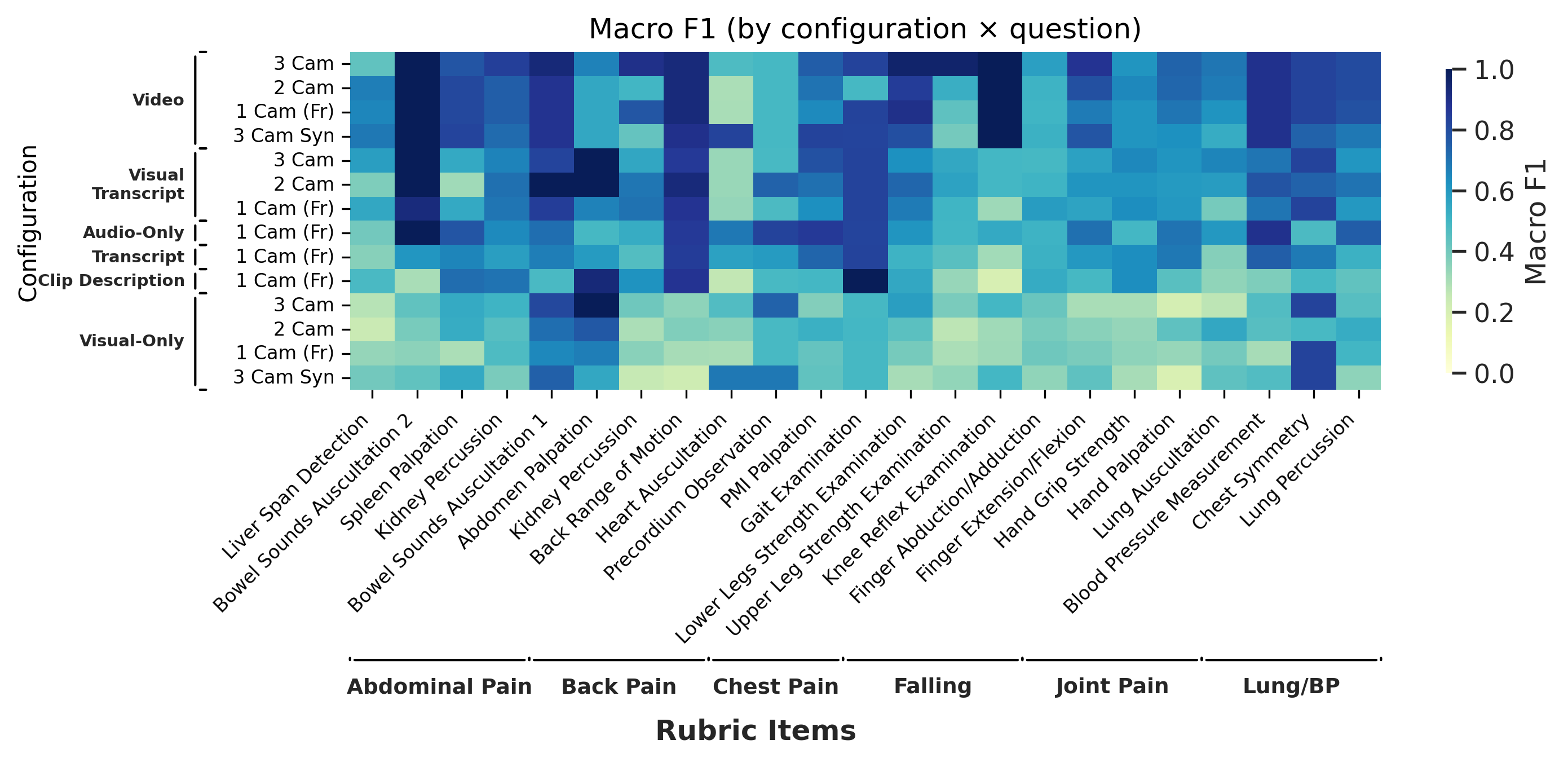
Macro F1 scores by rubric item and modality configuration — showing how different physical exam maneuvers benefit from different camera angles and input types.
For a start-to-finish walkthrough, read the MAPLES demo post, watch the MAPLES YouTube demo, or try the Wayfinder path: rubric authoring and encounter upload + grading. Have questions about the platform? Get in touch.